Clinical Context
Products are shaped around real theatre workflows, local practice, and the way clinical teams share operational information.
Theatre-Specific Software
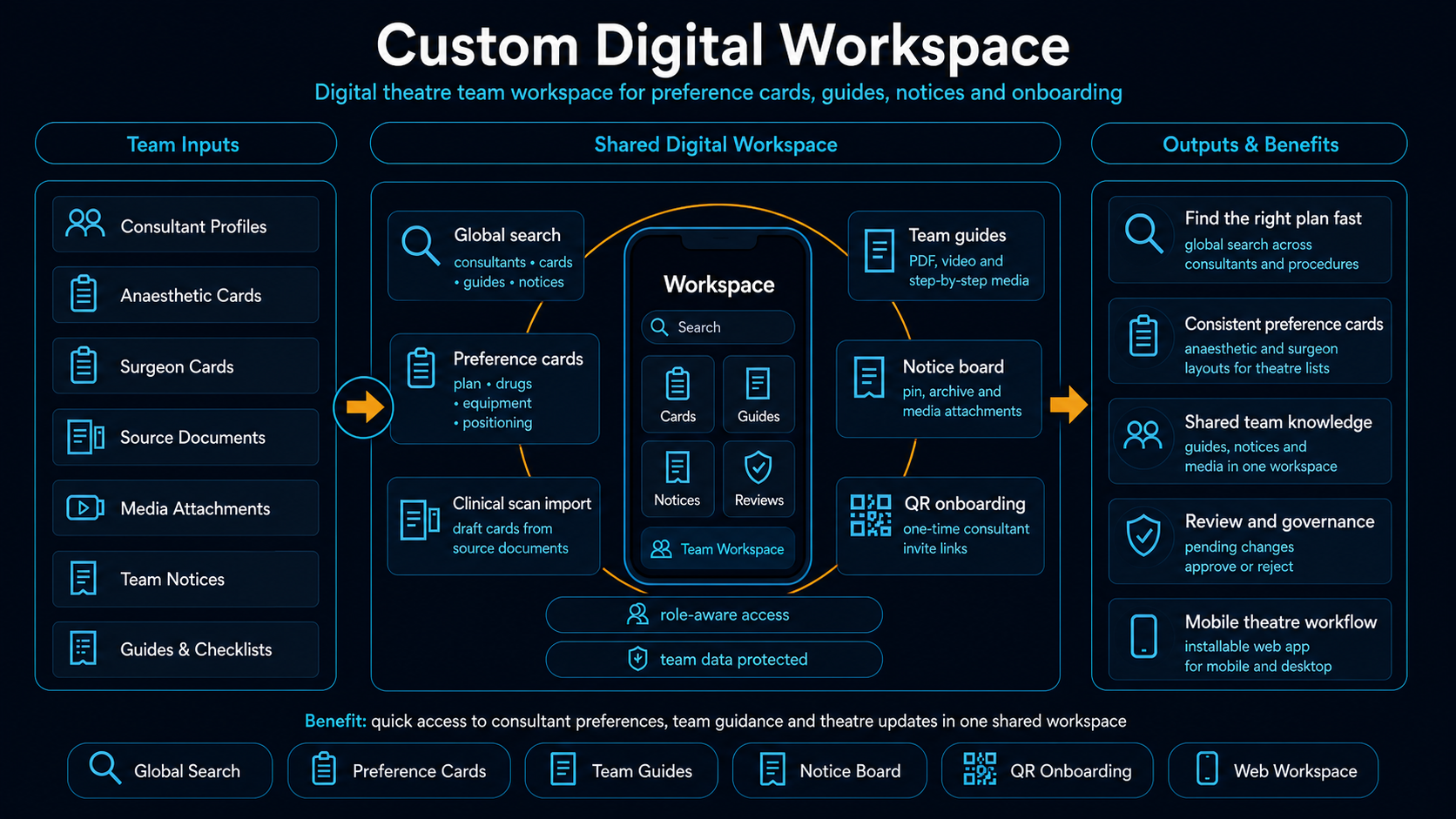
Operating Dept designs and builds theatre-specific software, from configurable digital workspaces for teams to bespoke products for clinicians with a clear software idea.
Why Operating Dept
The business is focused on one environment. That keeps the product model, software decisions, and implementation work aligned with how operating theatre teams actually function.
Products are shaped around real theatre workflows, local practice, and the way clinical teams share operational information.
The workspace offer is built on a repeatable platform, then configured to each team's specialties, consultants, and processes.
When a workflow needs something more specific than a workspace, Operating Dept can scope and build a dedicated theatre tool.
Services
Lead Offer
Deploy a proven digital workspace model for your theatre team, configured around your local structure and workflow.
Custom Build
Build software for a specific theatre process when the need goes beyond a shared workspace.
For Clinicians
For clinicians with a strong theatre-related app idea but no technical route to build it, Operating Dept can act as the build partner.
Featured Build
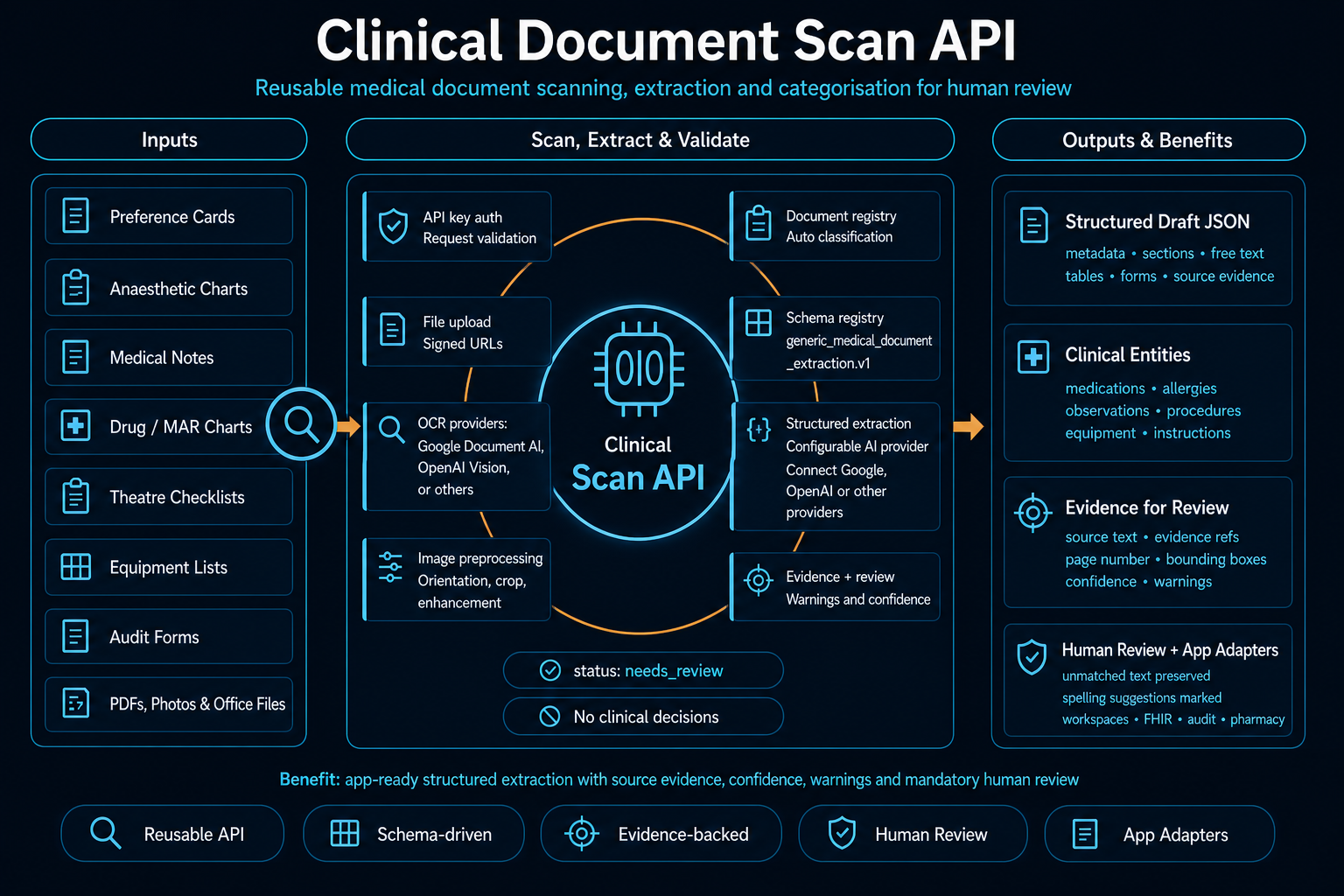
Clinical Document Scan API is a review-first clinical document extraction layer that turns healthcare paperwork into structured, evidence-linked drafts for human review and downstream software integration.
Accepts uploaded documents or signed URLs, runs OCR, and returns validated structured output with evidence, warnings, and review status.
Useful for preference cards, anaesthetic charts, medical notes, checklists, audit forms, and other structured or handwritten clinical documents.
The API produces structured draft data only. Every result is designed for human review before it is saved, published, or used in a clinical workflow.
Featured Build
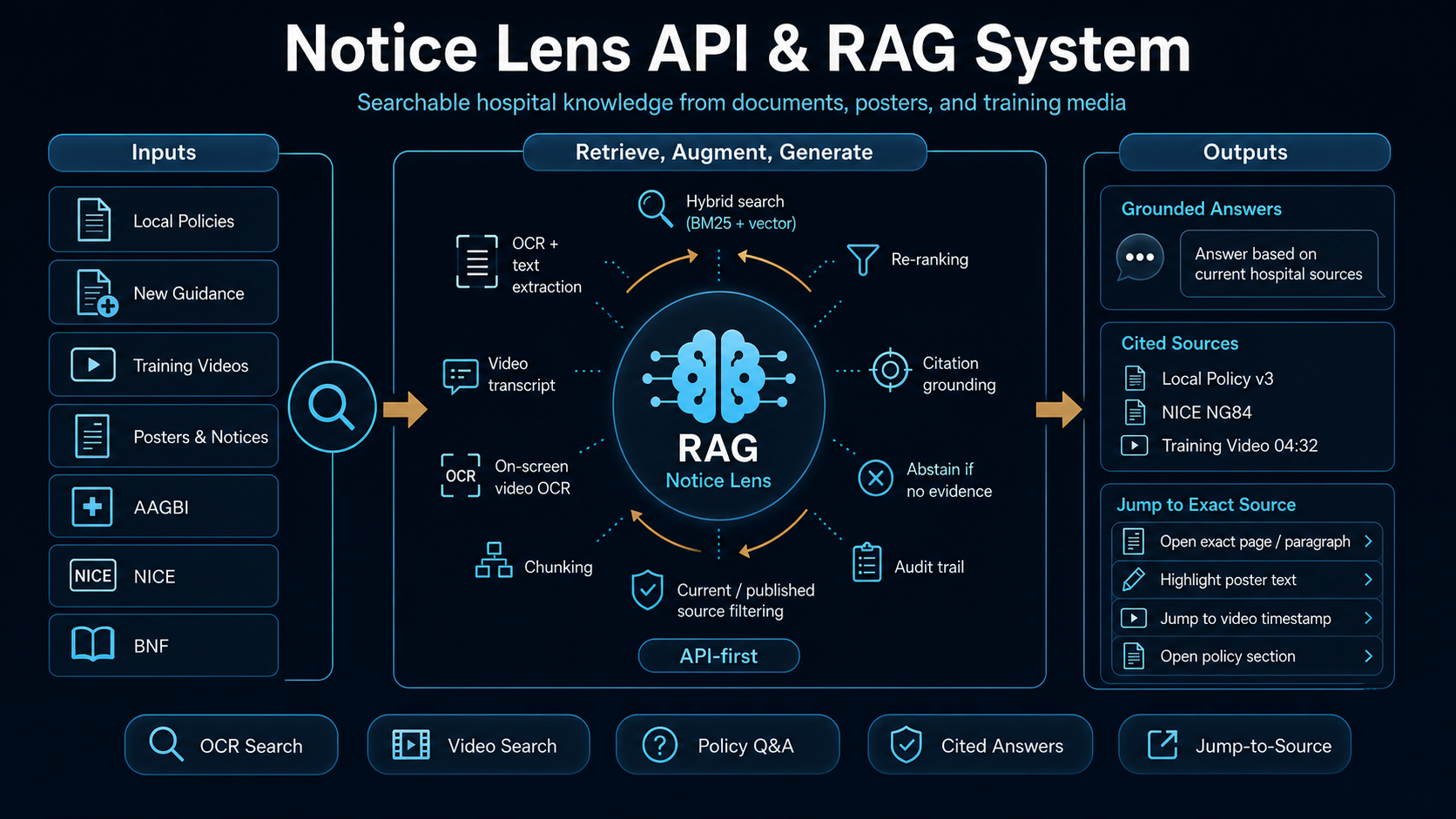
Notice Lens API turns posters, PDFs, scanned notices, screenshots, uploaded images, office files, and training videos into a searchable hospital knowledge layer inside applications. It can transcribe spoken content, index on-screen video text, support global search across the notice library, and answer questions using uploaded hospital content rather than generic online results.
It ingests notice-style content across documents, images, screenshots, and video, then stores searchable records with page text, matched word IDs, snippets, viewer overlays, source-file retrieval, spoken transcript search, and on-screen video text lookup.
Staff can search a whole library of hospital notices, policies, training material, rota screenshots, and local guidance, then jump to exact words in a PDF, image, or video timeline instead of manually hunting through uploads or shared drives.
Its RAG layer answers natural-language questions using published hospital content only, with citations and source-opening actions. If the evidence is not clearly present in the indexed material, the API returns no answer rather than guessing.
For Clinicians With an Idea
Some enquiries will come from a department. Others will come from an individual clinician who sees a clear workflow problem and has a strong idea for a software product, but no technical ability to build it alone.
Theatre-related app concepts, internal tools, or product ideas that need clinical-context product design and technical delivery.
With a scoped discovery conversation, not an open-ended promise to build everything from day one.
A clearer product brief, a prototype or MVP, and a practical route from idea to usable software.
Process
Understand the users, theatre context, operational problem, and constraints before any build work starts.
Configure the workspace platform for your team or define the core product shape for a more bespoke software build.
Develop the working system, test it against the intended workflow, and refine the product around real use.
Roll out the product, support adoption, and continue iteration where the software needs to develop further.
Who We Work With
Enquiry
Whether you need a configurable workspace for a theatre team or want to explore a personal theatre-related software idea, start with a project enquiry.